How to Texture 3D Models the Easy Way: A BumpMesh Guide for Makers
Adding realistic surface detail to 3D models has traditionally been a nightmare for creators. Between UV mapping, texture baking, and navigating complex external software, the learning curve is often enough to stall any project.
However, a new tool called BumpMesh is changing the game by making 3D texturing accessible, fast, and—dare we say—fun. Here is why this tool is becoming a staple in the modern maker’s toolkit.
The Problem with Traditional 3D Texturing
For the average hobbyist, the jump from a “clay” model to a professional-looking textured print feels like a chasm. Professional workflows often require:
- Complex UV Unwrapping: Manually flattening a 3D shape into a 2D plane.
- Specialized Software: Learning steep-curve programs like Adobe Substance or Blender’s node editor.
- Time-Intensive Baking: Waiting for textures to render and map correctly to the geometry.
BumpMesh eliminates these friction points by rethinking the workflow from the ground up.
What is BumpMesh? Instant Surface Detail Explained
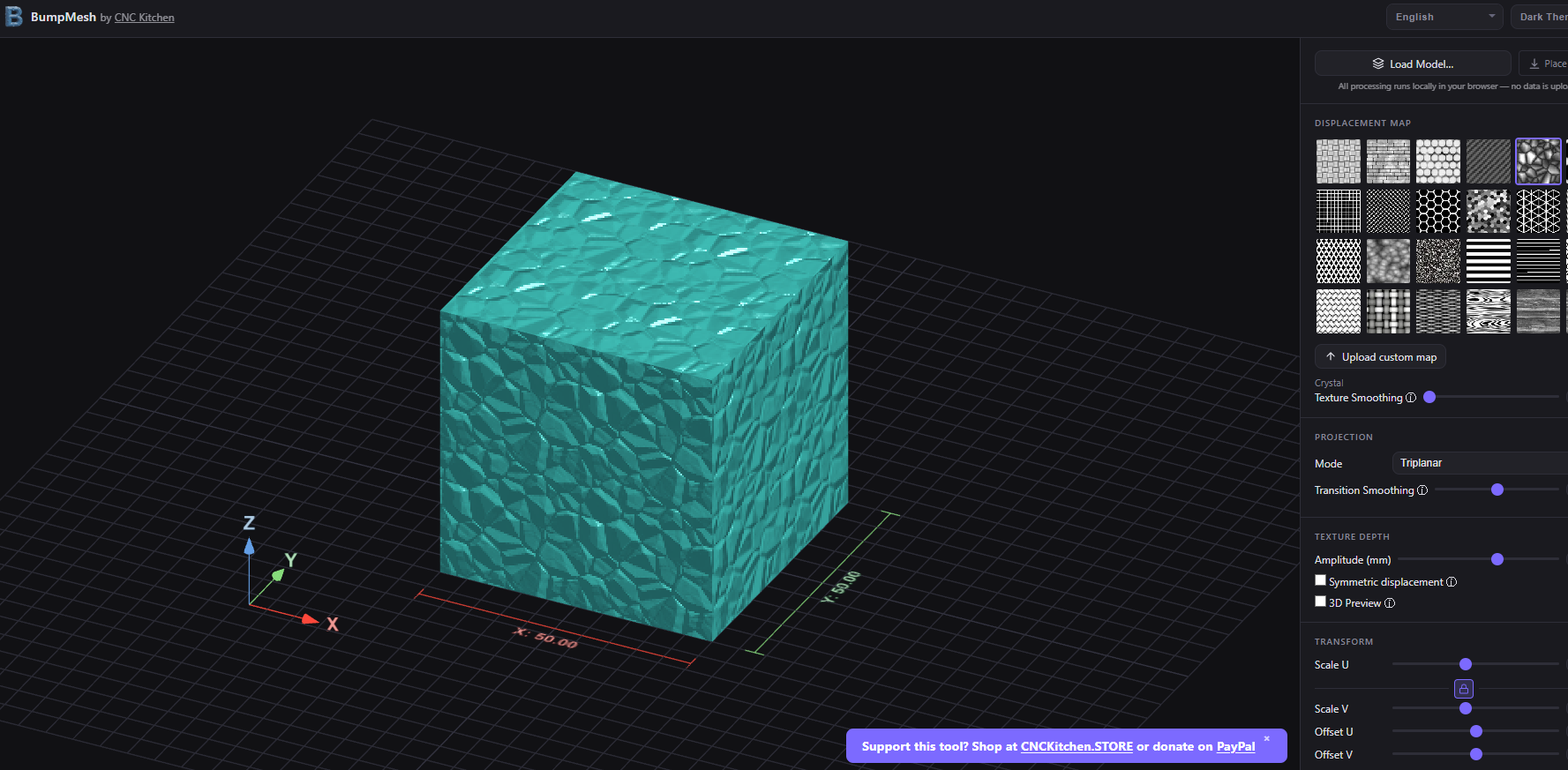
Instead of relying on traditional 3D mapping, BumpMesh allows you to convert 2D images directly into 3D surface geometry. The process is elegantly simple:
- Upload a Grayscale Image: The tool reads the light and dark values.
- Generate Depth: It instantly converts those values into raised or recessed details (bump maps) on your model.
- Instant Feedback: You see the results immediately, without needing deep technical knowledge of displacement maps or shaders.
Why Makers and Etsy Sellers are Switching to BumpMesh
If you are running a small business or creating 3D prints to sell, differentiation is everything. In crowded marketplaces like Etsy, a unique texture can be the difference between a “pass” and a “purchase.”
1. Lowering the Barrier to Entry
You no longer need a degree in digital arts to add a wood grain finish, intricate geometric patterns, or custom logos to your designs. BumpMesh levels the playing field for beginners.
2. Rapid Prototyping and Experimentation
Because the feedback loop is instantaneous, you can experiment with “what if” scenarios:
- What if I turned this hand-drawn sketch into a textured relief?
- Could I apply a leather grain to this phone case design?
- How would a custom brand logo look embossed on the base?
3. A Focus on Creativity, Not Technicality
By removing the “math” from the art, BumpMesh keeps you in a creative flow state. You spend less time troubleshooting mesh errors and more time refining the aesthetic of your product.
Who is BumpMesh Best For?
While professional studios have their own high-end pipelines, BumpMesh is specifically designed for:
- 3D Printing Hobbyists: Those who want better-looking prints without spending weeks in tutorials.
- Small Business Owners: Creators looking to add high-value, personalized details to physical products.
- Designers in a Hurry: Professionals who need a “quick and dirty” way to visualize surface details without a full render.
The Future of “Frictionless” 3D Creation
BumpMesh represents a broader shift in the 3D industry: the move toward creator-friendly tools. We are seeing the gap between a concept and a finished, high-quality product shrink every day.
If you have avoided texturing because it felt too technical, this is your sign to try again. With tools like BumpMesh, the only real limit left is your imagination.
Key Takeaways for 3D Designers
| Feature | Traditional Workflow | BumpMesh Workflow |
| Learning Curve | High (Months to Master) | Low (Minutes to Master) |
| Prerequisites | UV Mapping / Baking Knowledge | Basic 2D Image Files |
| Speed | Slow & Iterative | Instant & Visual |
| Best Use | AAA Games & Film | 3D Printing & Product Design |
Are you ready to level up your 3D models? Give BumpMesh a spin and see how much faster your workflow becomes when the technical hurdles are stripped away.
Source: https://www.youtube.com/watch?v=rTBkjR7JvzI&t=1s
For more 3D printing news, click here.
This page contains affiliate links and I earn a commission if you make a purchase through one of the links, at no cost to you. As an Amazon Associate I earn from qualifying purchases.